How Do I Add a Watermark to Photos?
Last updated: October 14, 2026
Overview
Watermarking helps prevent clients from screenshotting and using deliverable photos before they've paid for the order. Tonomo offers this at two levels: a text watermark set per booking flow, and a logo watermark set per brokerage that overrides it.
Setting a Watermark Text per Booking Flow
This applies a text watermark to the deliverables of any unpaid order placed through that booking flow.
Go to Configure Booking → Booking Flows, and click Edit on the booking flow you want to update.
Find the Watermark section.
Enter the text you want to appear as the watermark.
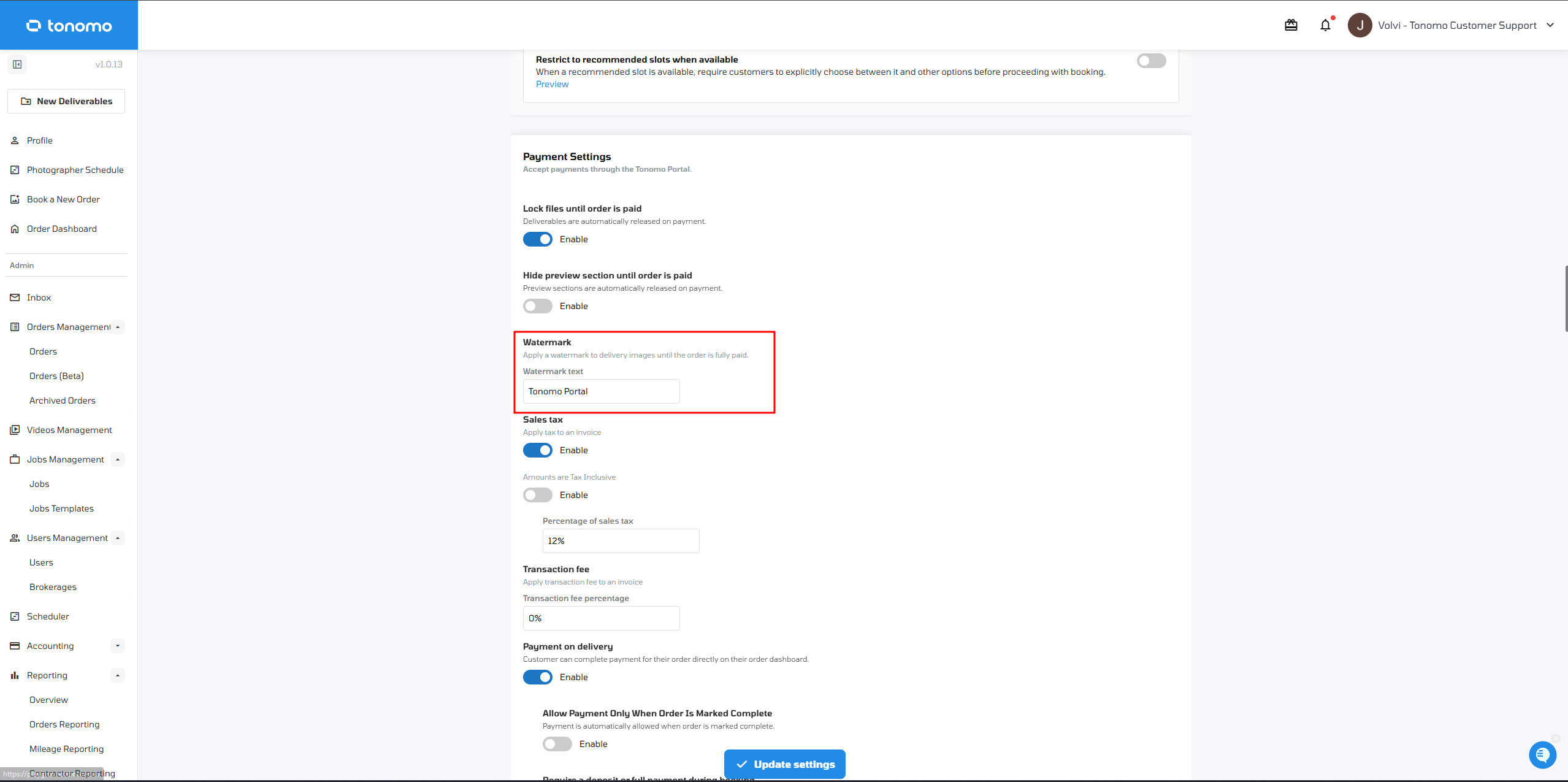
Once saved, this text is automatically applied across the delivery page of every unpaid order placed through that booking flow.
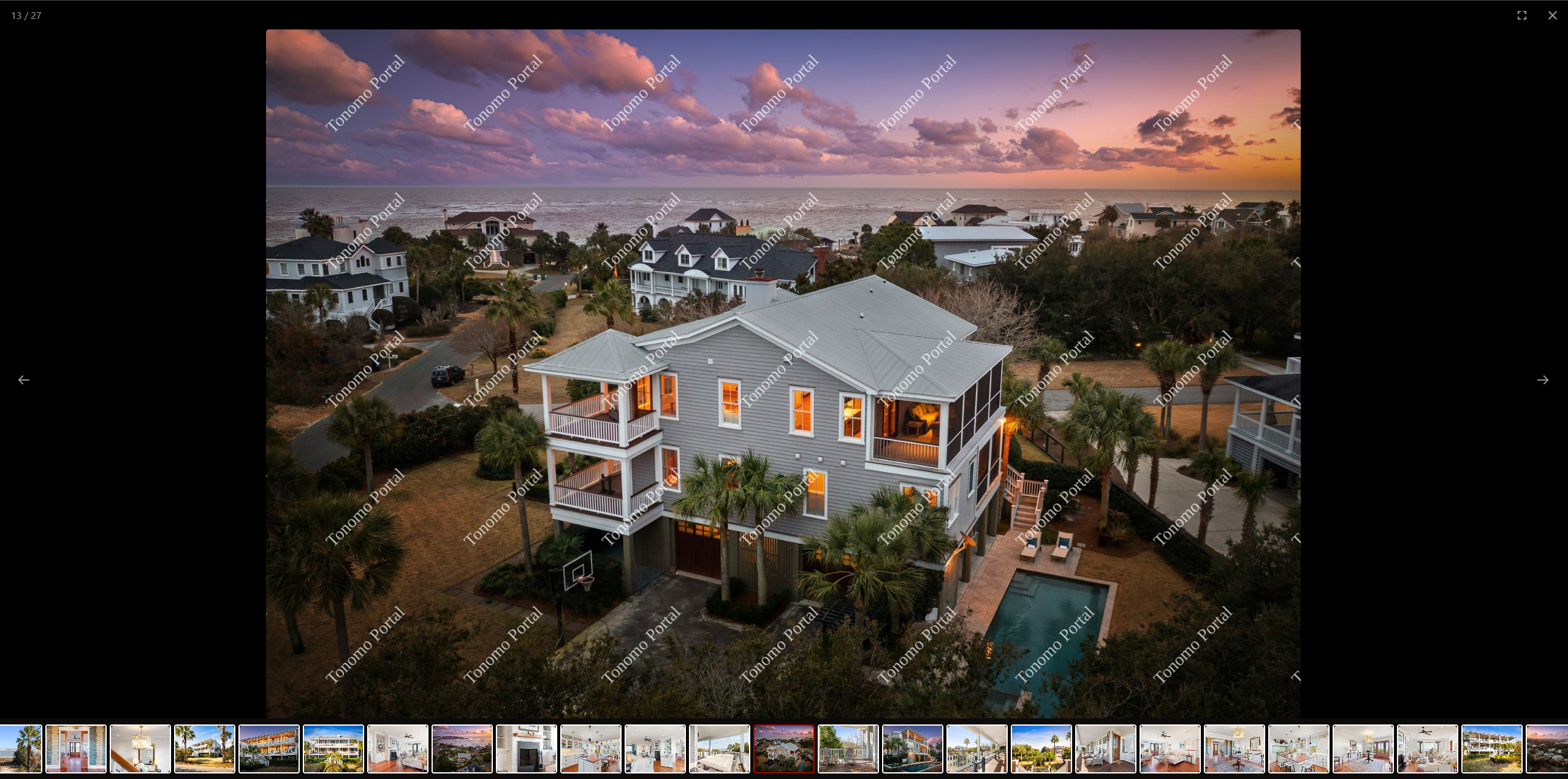
Note: This watermark only applies while the order is unpaid. Once the order is marked as paid, the watermark disappears, and the client can download the files without it.
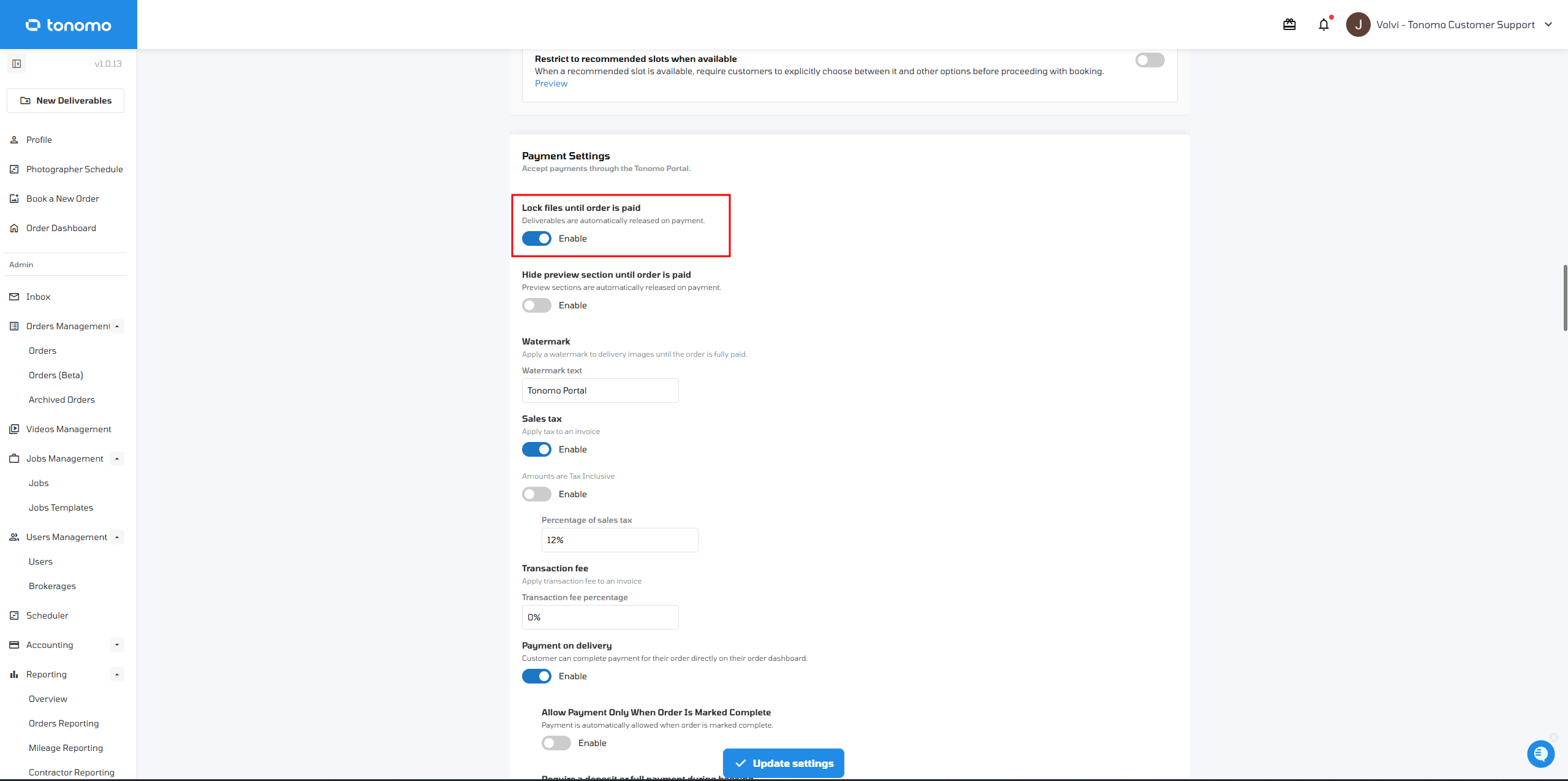
Watermark Depends on Lock Deliverable Files Until Order Is Paid
The booking flow watermark only appears if Lock deliverable files until order is paid is enabled. If this setting is disabled, the watermark feature won't work, even if you've added watermark text to the booking flow.
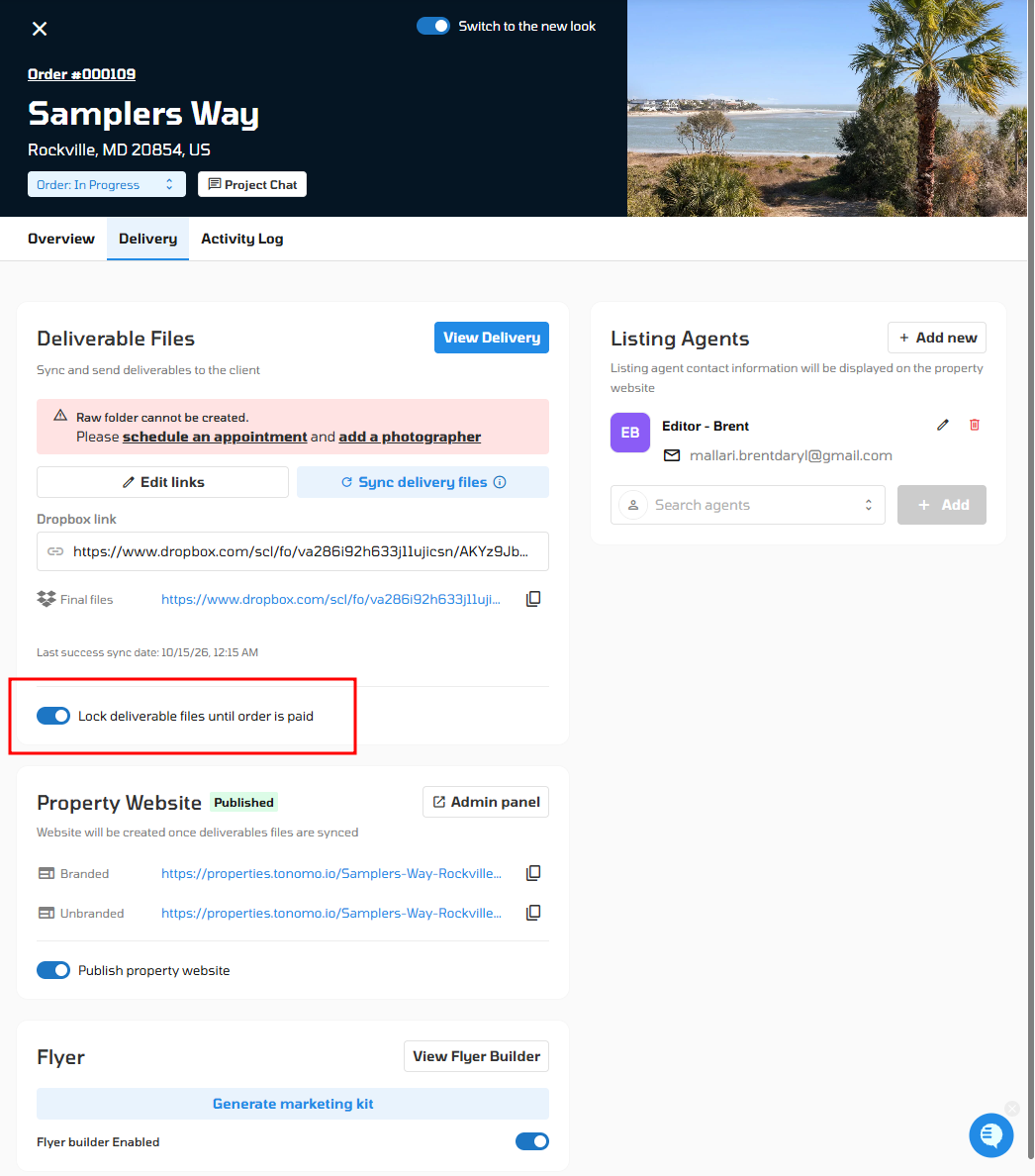
Important: Admins can also turn this off on a specific order, under Orders Management → Order Details → Delivery section. Manually disabling Lock deliverable files until order is paid there removes the watermark from that order entirely, regardless of the booking flow's watermark settings.
Overriding with a Brokerage Watermark Logo
Brokerages can override the booking flow's text watermark with their own logo or image instead. Unlike the booking flow watermark, this one is permanent — it stays on the resized/MLS-size photos even after the order is paid and the files are downloaded.
Go to Users Management → Brokerages, and select the brokerage you want to update.
Go to the Delivery section.
Upload the logo or image you want to use as the watermark.
Customize the position, padding, and size of the watermark as needed.
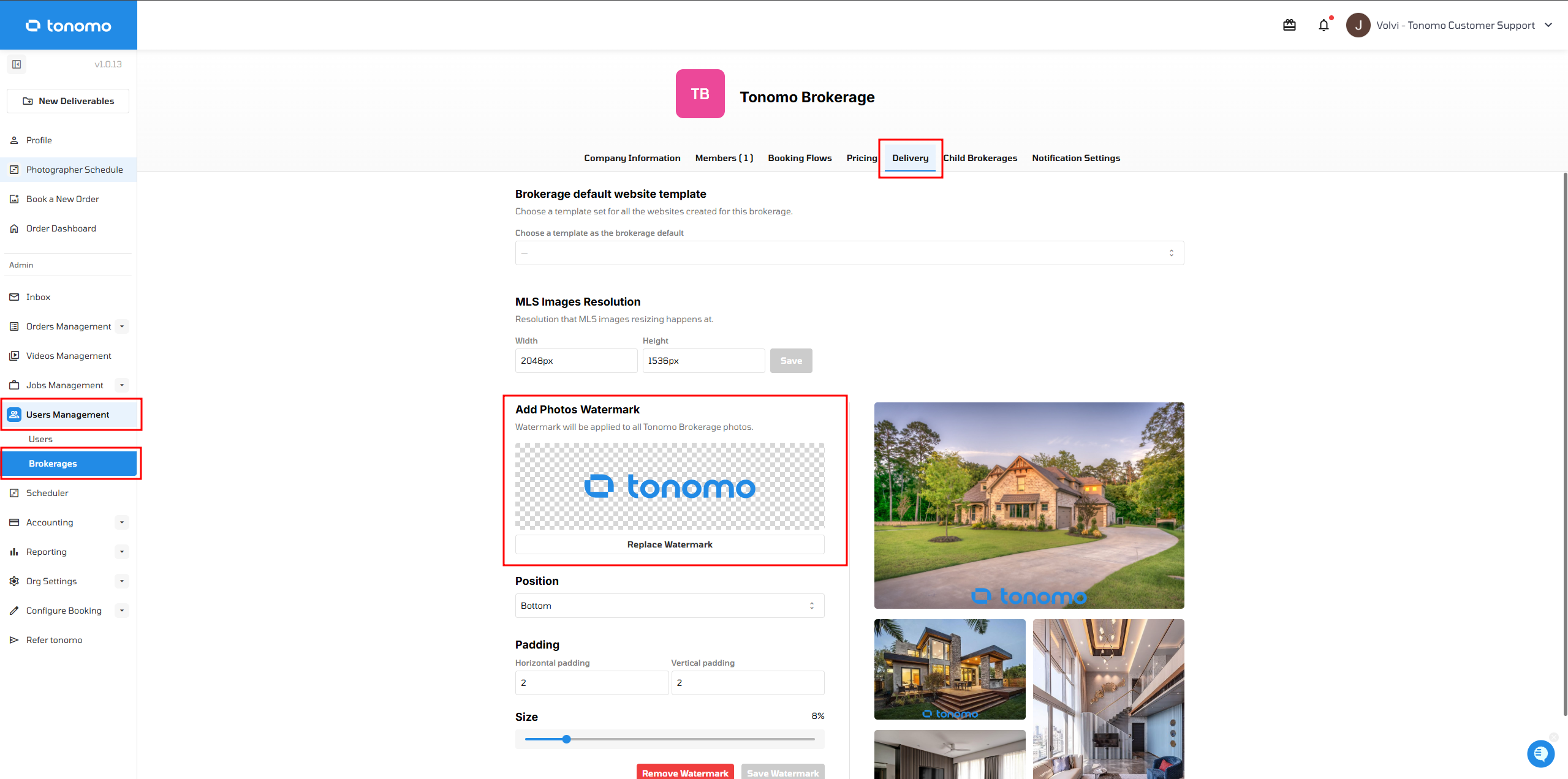
Important: This option is only available for brokerages, and it automatically overrides any booking flow text watermark. The logo watermark remains on the resized/MLS-size photos even after the order has been paid and downloaded — it will not disappear like the booking flow text watermark.